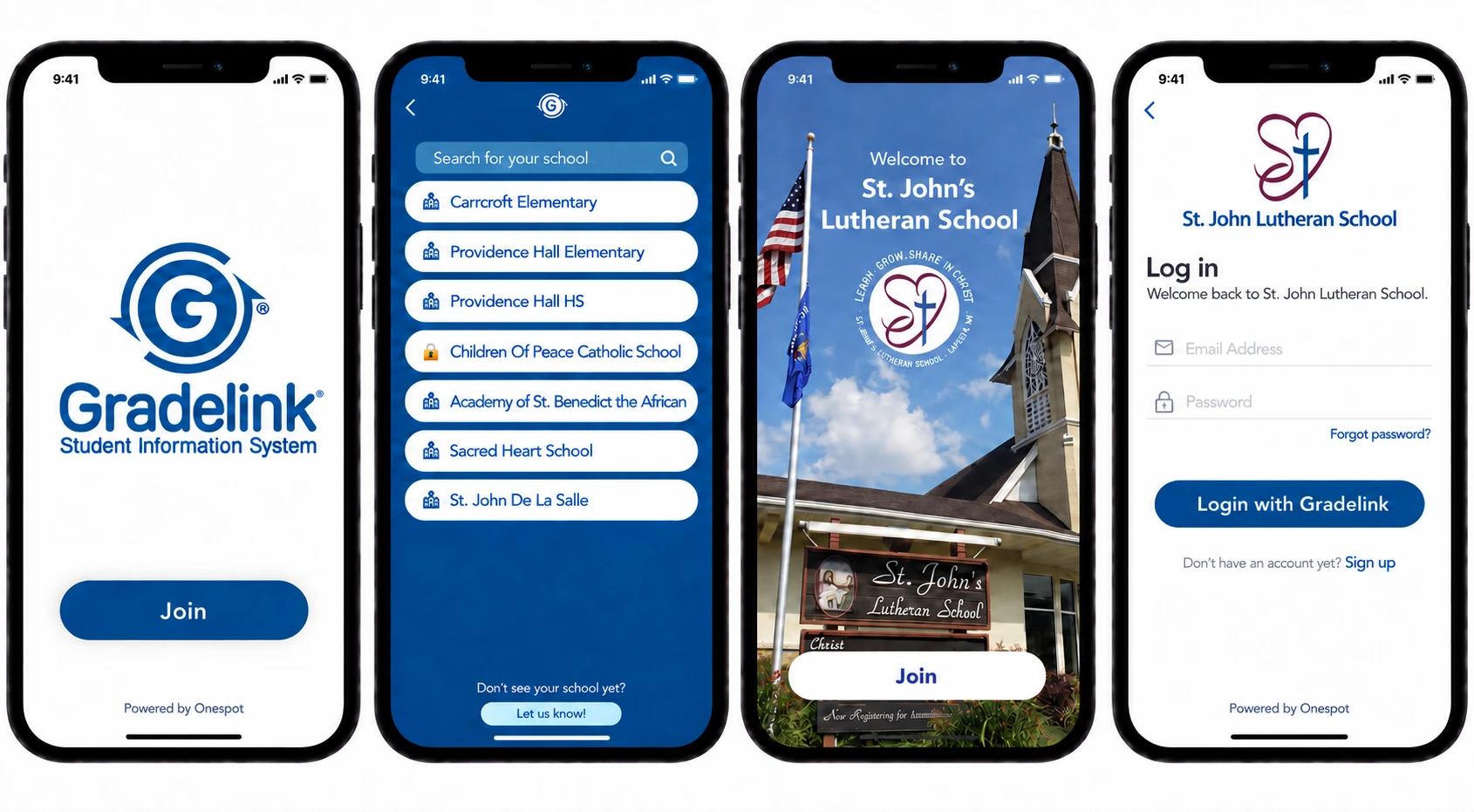
Proposal mockup—prepared by Onespot for the Gradelink team. Not an official Gradelink page. Gradelink figures are reproduced from the public pricing calculator.

Streamline all your school's communications and resources in a custom branded school app

Four phone screens: a Gradelink SIS splash screen with a Join button, a school search list, a branded welcome screen for St. John's Lutheran School, and a login screen for that school.
Families open Gradelink Connect, find their school, and land in that school's own branded app.

Upgrade—shared app

Gradelink Connect

A new white-labeled app—Gradelink and Onespot together—published and maintained under Gradelink's name. Separate from the existing Gradelink app, and built for the school community rather than the student record.

Families search for their school and land in that school's own logo, colors, and content. No school needs its own store listing, developer account, or app review cycle, and a new school goes live as soon as it's set up—nothing to ship, nothing to resubmit.

Schools can manage and streamline all of their resources and communication in an easy, drag-and-drop platform. They can also run group chats and activity feeds.
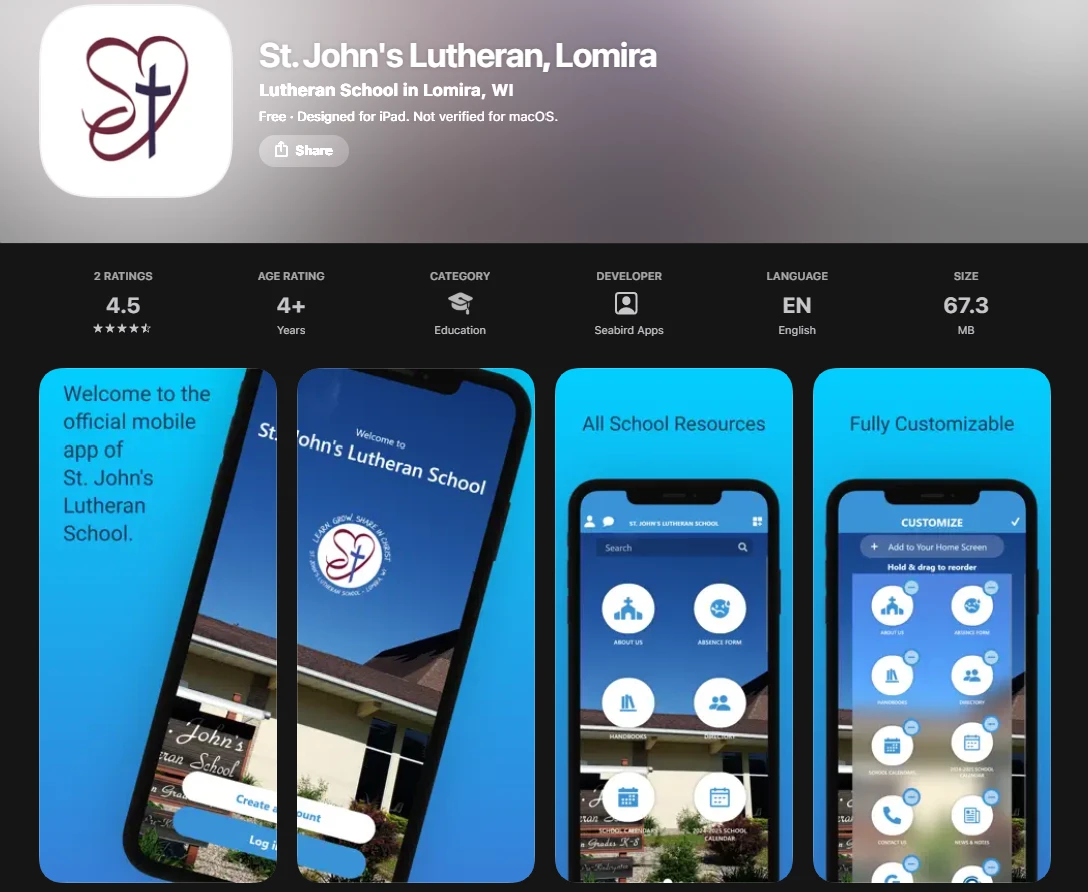
The App Store listing for the St. John's Lutheran Lomira app.

Upgrade—dedicated app

Standalone custom app

The school gets its own app—its own name, icon, and listing in both stores. They don't have to publish it themselves; we handle that for them.

  • The school's brand owns the home screen icon, the splash screen, and the store page.
  • Identical features underneath; the difference is the storefront and the branding.

What Onespot adds

A branded app in both stores

Their logo, colors, and content—inside Gradelink Connect or as their own app.

Group and private chat

Staff-to-family and staff-to-staff messaging inside the app.

Push Notifications

Every family's lock screen, instantly, at no per-message cost.

A single home for school resources

Handbooks, forms, links, and files, gathered where families actually look.

Photo and activity feeds

Classroom moments shared with the families they belong to.

Easy App Customization

Colors, icon, menu, and pages configured by drag and drop.

Role and group-based access

Each family, teacher, and admin sees only what's theirs.

A matching web app

The same experience in a browser for families who prefer it.

Conference, camp, and sign-up scheduling

Time-slot booking, item sign-ups, recurring slots, and automatic reminders.

Texting and Automated Call Outs Optional

Reach the whole community, or any group, by text or automated voice call.

Payments and billing Optional

Tuition, fees, and invoices—collected by card or bank transfer.

Custom websites Optional

A full school website, built and hosted alongside the app.

Gradelink SIS Pricing Plans

Get your instant quote. Enter the number of enrolled students at your school and select your add-ons. Your total will update automatically.

Total Price

$164.00/ mo

Enter the number of enrolled students to update your quote.

School staff working together at a computer.

Add-Ons

EnrollMe

$41.67/mo

Enroll students online with custom forms.

See features

SmartSend Pro

$41.67/mo

Send unlimited messages to your school community.

See features

Gradelink Payments

$0/mo

Streamline school payments and reporting.

See features

Onespot Bundle Proposed

Starting at $135/month

A branded app for your school—push notifications, scheduling, chat, resources, and photo feeds.

What a school gets with Onespot:

  • A branded app for their school The school's logo, colors, and content—inside Gradelink Connect, or as their own standalone app in both stores.
  • Push notifications Reach every family's lock screen instantly, with no per-message cost.
  • Scheduling for conferences, camps, and sign-ups Time-slot booking for parent-teacher conferences, item sign-ups for camps and events, recurring slots, and automatic email reminders.
  • Streamline your resources into Onespot Handbooks, forms, permission slips, links, and files—everything scattered across email and the school website, gathered where families actually look.
  • Group and private chat Staff-to-family and staff-to-staff messaging inside the app.
  • Photo and activity feeds Classroom moments shared with the families they belong to.
  • Customization Colors, icon, menu, and pages configured to the school—built around how they already run, not a fixed template.
  • Role and group-based access Each family, teacher, and admin sees only what's relevant to them.
  • Works on the web too The same experience in a browser for families who prefer it.